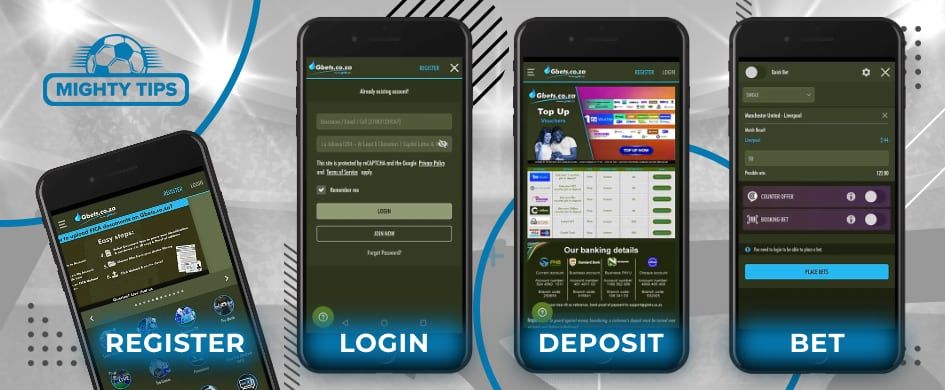
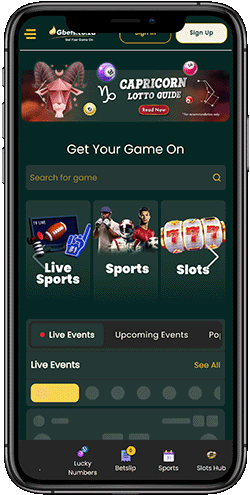
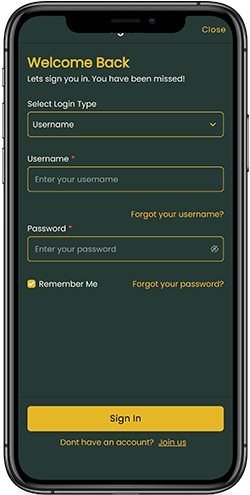
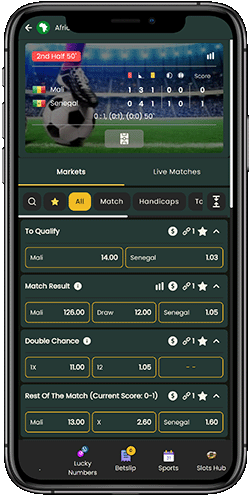
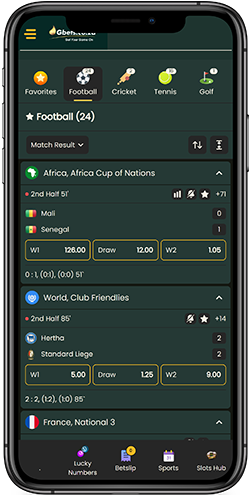
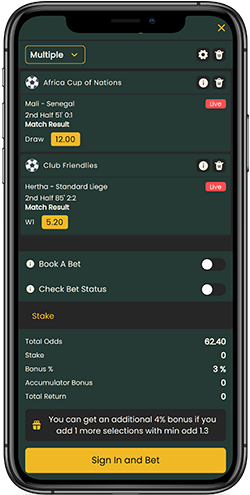
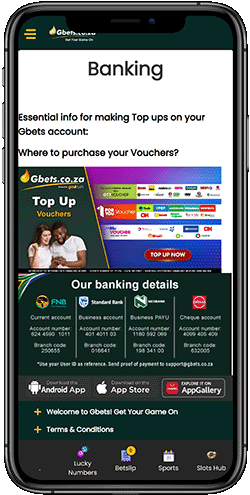
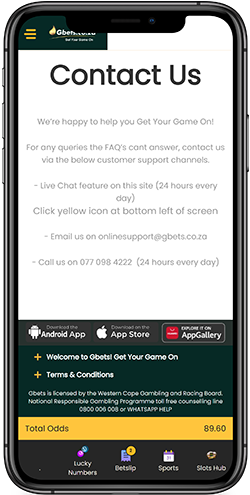
To place sports bets on the go, you can use the mobile web version of the site or download the dedicated app for Android or iOS. With mobile access, you can place both pre-match and live bets in various formats while taking advantage of the available promotions. In this short guide, you will learn how to download, install, and log in to the Gbets app.
Ratings
8
Size
5.2 MB
Ratings
8
Size
7.2 MB
This article was last updated
Content
Gbets App
On this page, we present our expert, free and honest review of the Gbets mobile service. We analyse what is available to mobile bettors, including the Android and iOS apps and the mobile site.
Gbets: mobile guide and review for Android and iOS
Mobile apps and sites have quickly become the sports gambler’s preferred method for placing bets. The leading online bookmakers offer modern and user-friendly apps that allow members to gamble on the go, accessing their accounts from anywhere in the country. But what is the Gbets app download process, and is it worth getting?
📲 Available platforms (Android, iOS, web)
Web, iOS
🔴 Live betting
✔️
💳 Mobile deposits
✔️
✨ Mobile withdrawals
✔️
ℹ️ Mobile support
Call, e-mail, live chat
🎁 Mobile offer
Deposit bonus
Our team of sports betting writers explains all on the subject. We’ve carried out extensive business research and now return with our thoughts. Our mobile guide of gbets.co.za is one you can trust. As with all our reviews, we give credit where it’s due but don’t hide the truth if the betting site doesn’t meet our high expectations.
Gbets App Download – Android & iOS
Gbets offers dedicated apps for both Android and iOS devices. Android users can download the app via AppGallery, which is pre-installed on most Huawei smartphones. The Android app size is around 3 MB and has over 18,000 downloads. iOS users can install the app directly from the App Store. The file size is approximately 7.2 MB, and it requires iOS 13 or later. Both versions allow users to register, fund their accounts, place bets, and withdraw winnings directly from their mobile devices.
How to install Gbets: .apk for Android
We have prepared a simple guide that will help you avoid spending time searching for the app. You will find the direct link and start the installation process immediately:
Download and install the AppGallery application on your Android device.
Open AppGallery and type Gbets in the search bar.
Click the blue Install button.
Scan the QR code that appears on the screen.
Launch the app by tapping the icon on your home screen.
Log in to your account or complete the registration process.
Enjoy full access to the platform’s services.
How to install Gbets: app for iOS
If you are an iPhone, iPad or Mac user, you can access mobile sports betting in just a few clicks via the official App Store. Follow this simple guide to install the app:
Make sure you have enough free space on your device for the download.
Open the App Store.
Type Gbets in the search bar.
Tap the “Get” button.
The download and installation will start automatically.
Launch the app and enjoy betting directly from your device.
Mobile over Android, iOS or desktop: advantages and disadvantages
The Gbets mobile app and desktop versions are well designed to ensure excellent content display, text readability, and ease of use. The entire site and its features will work flawlessly, regardless of the device you're using: computer, tablet, or phone. The responsive design allows you to place bets and spin slot machines even on a smart TV, as long as it has a browser.
Table with comparison of platforms
Gbets version
Screen layout
Bet slip
Data consumption
Navigation
Usability Score
Android App
Optimised mobile layout with better spacing
Slide-in
Low
Touch-optimised menu with quick tabs
9/10
iOS App
Clean layout adapted for iPhone screens
Slide-in
Low
Quick access to live betting
9/10
Mobile Web
Compact, but requires a lot of scrolling
Slide-in
Low
Simplified menu
8/10
Desktop
Displays more content horizontally
Fixed
Medium
Full-size menu with all categories
7/10
Usability
Gbets Sportsbook feels like a good product with intuitive navigation from the first minute of use, even if you've never placed a bet before. While the mobile version doesn't offer such convenient in-play performance, it has everything the average user needs:
Easy navigation and accumulator building
Compact Bet Slip
Quick sorting of sports and matches
Optimal display of any content on devices with different resolutions and screen ratios
The website's UX leaves a good impression, making the mobile version not just a desktop replacement but the primary platform for betting.
How to login
Quick login is what makes the Gbets mobile app a staple on the smartphones of thousands of South African players. To access your account, use this mini-guide:
Follow the MightyTips links to open the bookmaker's official website
Tap "Login" at the top of the screen
Enter your details (password and username), or use password recovery if something goes wrong
Tap "Login" again to open your account
Android and iOS users can also use this life hack for even faster access. Simply add the page shortcut in your browser (Chrome, Safari, Opera, or another) to add the site icon to your home screen. One click and you'll be redirected to the sportsbook instantly, just like in the app.
Sports betting
The Gbets mobile site offers impressive sports coverage, with over 200 markets (depending on the event), and instant betting. Navigation and content display on smartphones are well thought out, allowing you to build accumulators without leaving the page. Here are some popular sports and leagues in South Africa:
Football (Premier League, Serie A, La Liga)
Cricket (IPL, BBL, PSL, ICC)
Basketball (NCAA, FIBA, NBA, EuroLeague)
Golf (The Masters, DP World Tour, PGA, The Open Championship)
American Football (XFL, CFL, NFL)
The real intrigue and competition lies in the "Live Betting" tab, where you can participate in ongoing events and watch the odds automatically change (they take seconds to update). The main hit in this category is football (Soccer), a sport with 200-250+ markets such as:
Match Results (Winner)
Rest of the Match
Total Goals
Double Chance, and others
The cash-out option allows you to lock in a winning bet long before the event ends. Keep in mind that the odds may be slightly reduced in this case.
Payments
1Voucher, Instant EFT, and OTT are among the most popular GBets mobile transaction methods in South Africa, processed very quickly and with no fees. To top up your account, go to the cashier, select your preferred method, and then select a bonus (if available) or promo code to activate your reward. Please consider the current transaction limits in your region.
Deposit methods
Method
Minimal
Maximal
Processing Time
Fee
OTT Voucher
R1
R10,000
Instant
0%
1Voucher
R1
R2,500
Instant
0%
Apple Pay
R10
R10,000
Instant
0%
Visa/Mastercard
R1
R1,000,000
Instant
0%
Bank Transfer/ETF
R10
R1,000,000
Instant
0%
Withdrawal methods
Method
Minimal
Maximal
Processing Time
Fee
OTT Voucher
R50
R3,000
Up to 1 day
0%
1Voucher
R50
R3,000
Up to 1 day
0%
E-wallets
R50
R3,000
1-24 hours
0%
Visa/Mastercard
R50
R1,000,000
Up to 3 days
0%
Bank Transfer/ETF
R50
R3,000
Up to 1 day
0%
*1R (South African Rand) equals $0.05.
Support
The ability to quickly contact support is an essential element of modern betting, and it's present on the Gbets website. There are three options, two of which will help resolve your issue as quickly as possible:
Phone call - 077 098 4222 (24/7)
Live chat (20-120 seconds to connect with an expert)
Email - onlinesupport@gbets.co.za
Conclusion
The Gbets mobile site is a worthy alternative to the iOS and Android apps, allowing you to be closer to betting anytime, anywhere. Generous bonuses (100%+ deposit, free spins, or free bets), quick login, and a user-friendly interface for sports betting and casino make it a must-have in your bookmarks.
Advantages
20+ sports
200+ markets for each match
Welcome bonus deposit-matched bet
Deposit funds instantly by debit card, e-wallet, voucher, or cash