Betwinner App Download for Android & iOS - How to Install and Use
18+
The Betwinner app is available for iOS and Android devices, and allows you to stream up to 4 live sporting events at once. When you download the app directly from the site, you have access to more than 40 sports and hundreds of markets. With support for crypto and more than 100 other currencies, this app truly has global reach.
Betwinner provides its users with 3 distinct mobile betting solutions.
The first one is the Betwinner mobile version of the website. It includes all the functions that are available on the desktop version. Its main advantage is the enhanced mobility that it offers to its users. Gamblers can place bets even when they are on the move and do not benefit from a laptop or a computer.
Apart from this option, you can use the Betwinner application. There are apps for Android and iOS, but both of them offer the same amazing amount of features.
How to download the Betwinner app
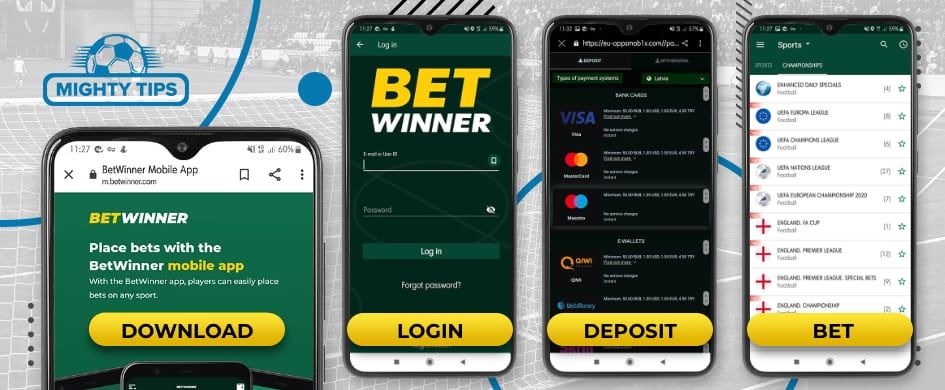
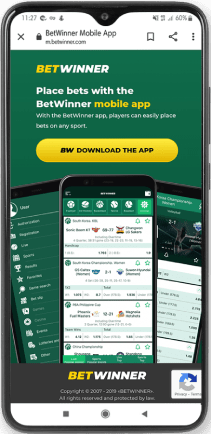
Both the Android and iOS apps need to be downloaded from the official Betwinner site. You simply need to click on the ‘App’ tab that can be found in the footer on the homepage.
Before you get started, you should go ahead and create an account. Also, be sure that your Android device is running at least 4.1, or that your Apple device has at least iOS 14.
Betwinner Android app download - step-by-step
If your device is running Android OS, then you will have to download the Betwinner .apk for Android directly from the Betwinner official website.
How to download Betwinner App for Android:
Go to Betwinner App download section
Download the app
Enable the Install From Unknown Sources feature on your smartphone (Settings > Security)
Find the downloaded file for Betwinner for Android and press Install
Complete the installation and login
From now on, you can enjoy the mobile betting experience offered by the Betwinner Android app.
Both the Betwinner mobile site and mobile app give you access to the same core betting features. The main differences come in load speeds and how you can navigate the platform. Both options support live betting, deposits and withdrawals, and management of your account.
You can access the mobile site via your mobile browser. Navigation is menu-based, with sports, live betting, and account tools easy to locate. Load times depend on your browser performance, as well as the quality of your connection.
The Betwinner apps are installed directly on the device and typically load faster due to local caching. Navigation relies on fixed menus and icons, allowing quicker switching between sections without reopening a browser.
Betwinner mobile site - features & performance
Feature
Mobile site
Mobile app
Loading speed
Browser dependent
Less than 1 second
Layout
scroll-based
App optimised layout
Navigation
Browser menus
Fixed in app menus
Live betting
✅
✅
Deposits and withdrawals
✅
✅
Betwinner mobile bonuses
There is no mobile-exclusive bonus here. However, you can still claim the main welcome bonus found on the desktop. This offers a 100% match up to €100 with 5x wagering. There are also ongoing promotions, such as 3% weekly cashback and accumulator boosts.
Betwinner app usability
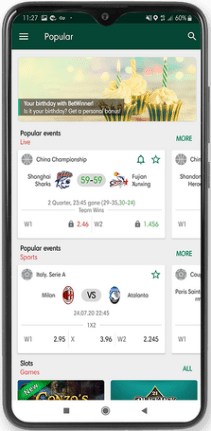
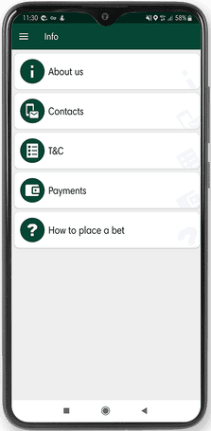
The Betwinner app uses a fixed side menu for navigation between sports, live betting, and account sections. Pages load quickly once markets are selected, depending on connection quality.
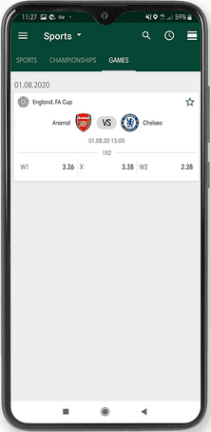
The bet slip opens as a separate panel and shows selections, odds, stake input, and potential returns. Live streaming is available for selected events and is integrated alongside live betting markets.
Main menu items:
Account management
Sports betting
Live betting
Esports
Results and statistics
Bet slip
Live streaming
How to log in on the Betwinner app
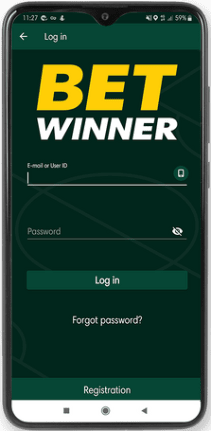
After you download the Betwinner app, you need to log in to your account. To do so:
Open up the mobile app
Press on the Main Menu button (top-left corner) and select Login
Fill in your account credentials and press the Log In button.
If it happens to forget your password, you can always make use of the Forgot Password function. A unique code that resets your passcode will be sent to the email address you have mentioned during the registration process.
Sports & live betting on Betwinner mobile
Here’s what you need to know about placing a bet on the Betwinner app:
Pre-match betting
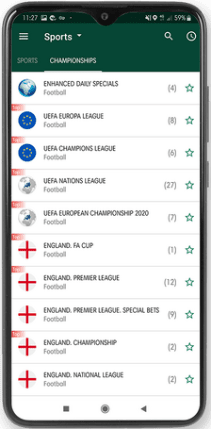
Open the main menu and select Sports.
Choose a sport, then select a league and event.
Tap the odds to add a selection to the bet slip.
Enter a stake and confirm the bet.
Pre-match markets are available across multiple sports and leagues, with selections added directly to the bet slip.
Live betting
Open the Live section from the main menu.
Select an event currently in progress.
Tap updated odds to add selections to the bet slip.
Enter a stake and confirm the bet.
Live betting odds update frequently and can change within seconds. Live streaming is available for selected sports, including football, tennis, table tennis, cricket, and basketball.
Where you can use the Betwinner app
The Betwinner app has a Curacao licence and can be used in many countries around the world. These include India, Poland, Bangladesh, and Argentina. It is expressly forbidden in Australia, the UK, France, the USA, and Spain.
Betwinner mobile payments
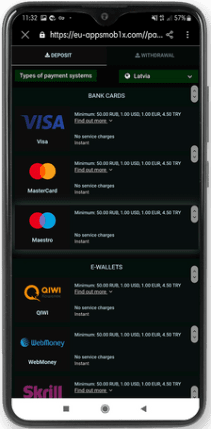
The Betwinner app has more than 70 payment options, with 60 of these being crypto. Popular deposit methods include Visa and Skrill. All deposits are instant, and limits range from €1 - €100,000.
Withdrawal times range from 15 minutes up to 7 days, depending on the method used. Minimum withdrawals are €1, with upper limits of €760,417.
Deposit methods
The table below shows some of the most popular deposit options:
Deposit methods betwinner
Payment method
Min deposit
Max deposit
Time for deposit
Visa
€3
€1,500
Instant
MasterCard
€3
€1,500
Instant
Skrill
€5
Not stated
Instant
Neteller
€5
Not stated
Instant
Paysafecard
€5
Not stated
Instant
Bank transfer
€1
€100,000
Instant
Bitcoin
12,99 uBTC
N/A
Instant
Withdrawal methods
Here are some of the top withdrawal methods:
withdrawal methods betwinner
Payment method
Min deposit
Max deposit
Time for deposit
MasterCard
€5
€10,000
1-3 days
Skrill
€3
Not stated
Within 24 hours
Neteller
€5
Not stated
Within 15 minutes
Bank transfer
€1
€10,000
Up to 7 days
Bitcoin
€160
€760,417
Within 15 minutes
MiFinity
€30
€1,500
Within 24 hours
Binance Pay
€0.86
€51,402
Within 15 minutes
Customer support on the Betwinner app
If you need to get in touch with Betwinner, you can do this via email or live chat. Email leads to responses within 24 hours, whereas live chat is almost instant.
Live chat: 24/7
Email: info-en@betwinner.com
Our verdict on the Betwinner app
The Betwinner app stands out for its live streaming capabilities, with the ability to stream 4 events at once. It also appeals thanks to its 70+ payment methods. The only real drawback here is that the interface can feel slightly cluttered with so much information being presented.