A detailed guide for installing and using the iOS and Android versions of the Bettilt sports betting application.
Ratings
8
Size
13.5 MB
Ratings
8
Size
14.8 MB
This article was last updated
Content
Bettilt app
Bettilt app is a user-friendly platform that offers Android and iOS extensions, as well as an adaptive mobile version of the website, compatible with any device. This short guide will help you understand how to download and install the extension to access key features:
40+ sports
Fast payments (Deposits and Withdrawals)
In-play betting
100% welcome bonus, and more.
The sportsbook Bettilt is highly popular in Turkey, India, and some countries in Central Europe and Latin America.
How to Download the Bettilt App
The download and installation method for the app depends on the operating system on your smartphone, but it can be easily done in a few minutes with a small amount of free space (100-150 MB).
Android
Download from the Bettilt official website, bypassing Google Play Services:
Go to the main page and select "Install" in the menu.
Select the Android version and scan the QR-code.
Once the download is complete, you can run the APK file. Confirm installation from unknown sources if required.
Please download files only from the official website to avoid malware.
iOS
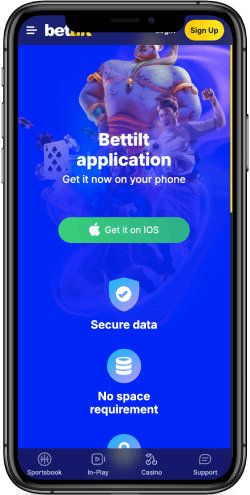
Apple users can quickly install directly from the App Store:
Open the "Install" page from the Sportsbook main page.
Select the Bettilt iOS app from the available options.
Confirm the download and installation in the window that appears using your password or Face ID.
Wait until the application icon appears on the home screen and launch it.
*It is worth mentioning that the IOS app is available only in Portuguese.
Mobile vs Desktop
Any betting and other features you can find work exceptionally well in the iOS Android app, desktop, or mobile version of the website. However, there are several compelling reasons why most players prefer to install the file on their smartphone:
It works faster than the web
Requires less internet traffic
Customizable push notifications
It's easy to use and navigate.
Feature
Push Notifications
Live Betting
Download Installation
Usability Score
Mobile App
Yes
Yes
Less than 100 MB
9/10
Desktop
Limited
Yes
Not needed
7/10
Mobile Site
Limited
Yes
Not needed
8/10
Usability
Bettilt mobile app and website versions come with the same functionality and features, but with different usability. While each version is easy to navigate and loads content and event odds quickly, there are several key differences:
The vertical orientation of mobile pages requires more scrolling when viewing content, and has limited horizontal sports scrolling
The desktop has a left-hand betting menu, while the app allows you to use regular swipes to scroll through matches.
Searching for a desired in-play or upcoming match is equally intuitive across all platforms and features a quick bet slip.
Login
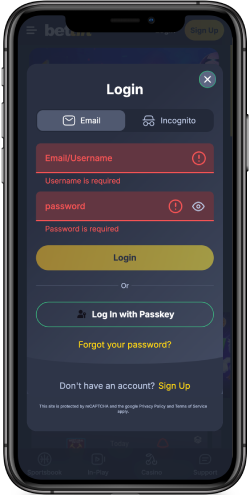
The Bettilt app or mobile website has a simple login process that takes just seconds:
Open the app or website.
Click "Login" at the top of the screen.
Enter your username and password, and tap “Login” again.
You will be redirected to your account immediately if the information is correct. Feel free to use password recovery if an error occurs.
Quick tip: Enable the automatic login feature so that your username and password appear automatically whenever you log in to Sportsbook.
Sports & Live Betting
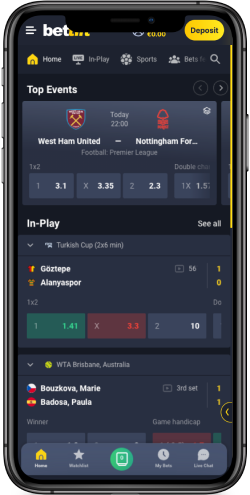
NHL, FIFA, UEFA. Formula 1 World Cup, Super Cup, as well as hundreds of seasonal and off-season events across 40+ sports can be explored in the Bettilt Android or iOS app. The navigation is well-designed to help you find the right market among 200-300+ available in no time with easy bet slip access.
Live Betting
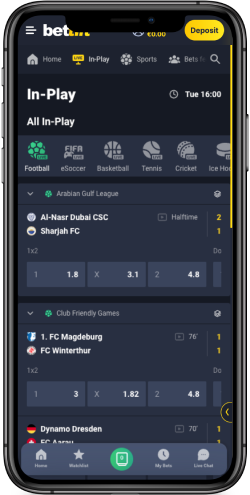
Among the top features of the Bettilt mobile app is the Live section, where you'll find all in-play matches available for quick betting. This mode allows odds to change in seconds, depending on the progress of the event. Information display time is minimal—a goal will be visible on the chart within a few seconds.
Payments
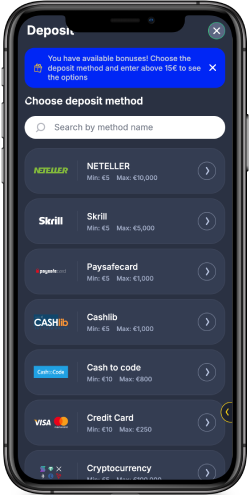
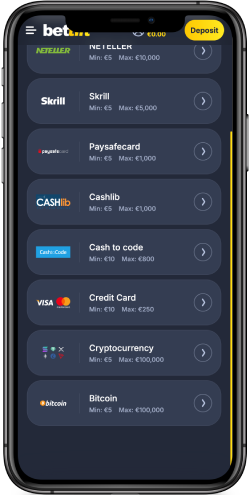
Payment methods and limits may vary depending on the player's country or region, but transactions are fast enough to get you ready to play as quickly as possible. Popular deposit and withdrawal methods in the Bettilt phone app include:
Visa-Mastercard
Crypto wallets
Binance Pay
Payz
Skrill
Jeton, and 10+ others.
Deposit
Deposit
Min.
Max
Processing Time
Fee
Visa/Mastercard
$10
$4,000
Instant
None
Cryptocurrency
$10
$10,000
Up to 2-5 min.
None
Jeton
$10
$1,000
Instant
None
Skrill
$10
$4,000
Instant
None
Binance Pay
$10
$10,000
Up to 2-5 min.
None
Payz
$10
$4,000
Instant
None
Withdrawal
Withdrawal
Min.
Max
Processing Time
Fee
Skrill
$10
$5,000
Up to 1-2 hours
None
Jeton
$10
$1,000
Up to 1 day
None
Visa/Mastercard
$10
$5,000
Up to one week
None
Cryptocurrency
$10
$5,000
Up to 1-2 hours
None
Payz
$10
$5,000
Up to 1-2 hours
None
Binance Pay
$10
$5,000
Up to 1-2 hours
None
Withdrawal requests for unverified users may take longer than usual to process, or may even require you to verify your identity. Please complete KYC as soon as you sign up — it only takes two minutes.
Support
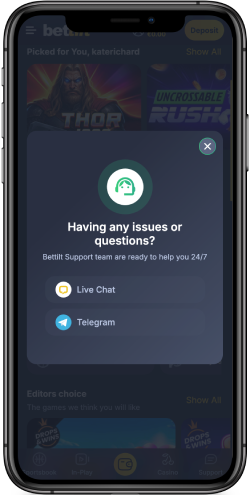
You can contact the sportsbook support team between 12:00 PM and 10:00 PM. There are several communication methods available, each with varying response times:
Email (usually 20-120 minutes for a response) - support@bettilt.com
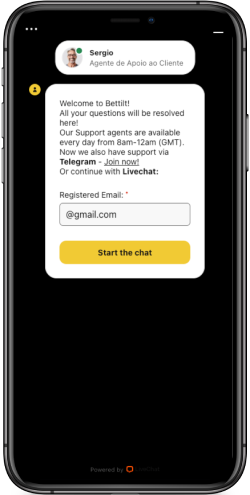
Live chat (an operator will connect within 30-150 seconds).
Outside of business hours, you can only send an email. The lack of 24/7 support may not be a problem, but an inconvenience for some players.
Overall
Ease of use, fast content loading, and quick installation make the Bettilt app a valuable addition to your betting experience. Payment methods, 300 markets, 40+ sports, and all desktop version features work exclusively on Android and iOS devices.