NetBet Mobile App – Download for Android & iOS (2026 Guide)
18+
The NetBet operator offers a mobile app for iOS users, while Android users do not currently have a dedicated application. However, there are still several ways to enjoy a smooth mobile betting experience. In this NetBet 2026 guide, you will learn how to download the app, speed up your mobile access, and what features are available to players. The mobile platforms are regularly updated to improve the overall user experience and enhance security.
Ratings
7
Downloads
10000
Size
75 MB
Ratings
5
Downloads
1984
Size
27.7 MB
This article was last updated
Content
NetBet app
How to download the mobile app for NetBet?
Here's how to download the NetBet app and start betting on sports and games.
How to Install NetBet .apk for Android
At the time of writing this guide, we were unable to find a mobile application in the Google Play Store or a dedicated APK file available for download. However, we have prepared a simple guide on how to add a shortcut to your home screen for faster access:
Go to the official website using your phone’s default browser.
Tap the three dots in the top-right corner of the browser.
Select “Add to Home screen.”
Enter a name for the shortcut.
Tap “Add” or “Install.”
Once completed, a shortcut icon will appear on your home screen. With a single tap, it will take you directly to the NetBet homepage.
How to Install the NetBet app for iOS?
For iOS and iPhone users, a dedicated app is available, which you can easily download from the official App Store. Here’s a quick guide on how to do it:
Free up at least 27.7 MB of space on your device.
Open the App Store on your device.
Enter NetBet in the search bar.
Tap Get the download and installation will start automatically.
Once installed, tap the app icon on your home screen and log in.
Mobile website versus Android and iOS apps
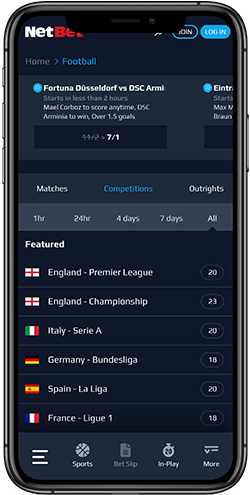
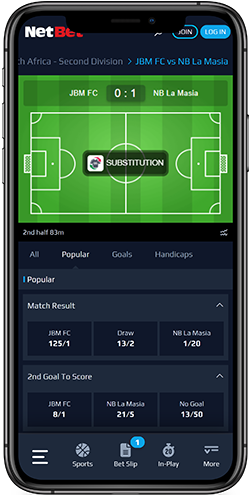
The NetBet mobile website and dedicated iOS app share a similar design. But the app offers a cleaner interface, faster performance, and more organized bet slips. They are optimized for larger, high-resolution screens.
The mobile website adapts well to all screen sizes, supporting seven interface languages. It’s a good alternative for users who prefer not to install the app. On iOS, automatic App Store updates ensure a secure and up-to-date app. Ultimately, the choice will depend on your device’s screen size and the features you’d like to prioritize.
Android Mobile Access
Although there is no dedicated Android app or APK available, Android users can still enjoy a smooth mobile betting experience via their browser by creating a shortcut on the home screen.
Advantages
No installation required, saving device storage and avoiding compatibility issues.
Limitations
Relies on the mobile browser, so some features may be slightly slower compared to a native app.
NetBet iOS App
The iOS app provides a secure betting experience with automatic updates via the official App Store.
Advantages
Allows automatic App Store updates, fast navigation and access, live betting, and real-time odds
Limitations
Optimized mainly for larger screens while offering fewer language options than the mobile website
NetBet Mobile Website
The mobile website is a flexible alternative that runs smoothly on any device without download or installation required.
Advantages
Adapts well to all screen sizes, requires no installation, and supports multiple languages
Limitations
Navigation is a bit slower, and bet slips are less intuitive than in the native apps
Usability
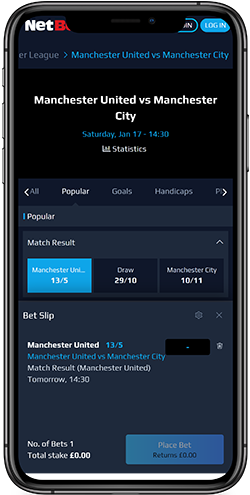
The Netbet mobile app is easy to navigate, offering well-structured bet slips that clearly display selected markets, odds, and stake inputs. If the NetBet app fails to load or freezes, you can try clearing cookies or restarting the device. If issues persist, reinstalling the app or contacting customer support may help.
How to login
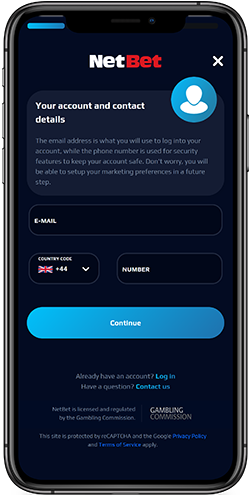
Logging in to your accounts takes only a few minutes, following these simple steps:
Open the NetBet app or mobile website
Click the ‘Log in’ button in the top-right corner
Enter your username and password
If necessary, use Forgot Password to recover your account
On supported devices, enable the fingerprint login or Face ID for more secure and faster access to your NetBet account.
Sports betting
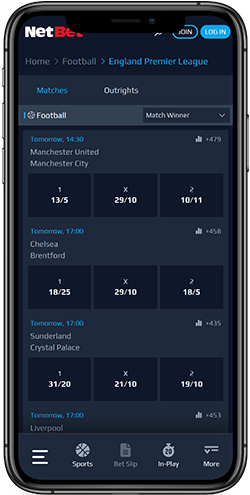
NetBet’s mobile app offers the same sports betting features as the desktop site. Popular sports include football, tennis, basketball, and ice hockey. You can also bet on eSports, virtual sports, and special markets. Bettors have the option to place single bets, accumulators, or system bets, with cash-out options available on selected markets. NetBet’s bet slip clearly shows odds, bets, and potential returns for each event.
Live betting
Live betting on popular sports is the NetBet mobile app’s key feature. Users can follow matches in real-time as markets and live statistics get updated quickly. The app currently does not feature live streaming, but the in-play interface is fast and reliable in 2026.
Payments
Deposits and withdrawals are accessible in the NetBet mobile app. Supported payment options include:
Debit and credit cards (Visa, Mastercard)
E-wallets (Neteller, Skrill, PayPal, Apple Pay)
Bank transfers (Pay By Bank, Trustly, Wire Transfer)
Bitcoin (BTC)
Key payment details:
Minimum deposit and withdrawal: £10
Instant deposits
Withdrawals take 0 to 2 business days
No-fee withdrawals
Support
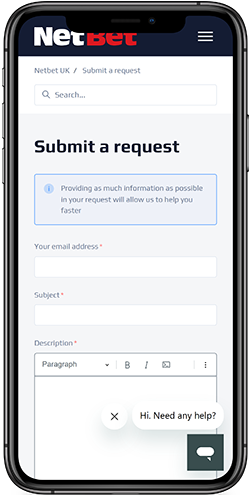
NetBet customers can access support through the mobile app and website.
Support options include:
Live chat (Available 8:00-9:00 to 23:00 GMT, response time in a few seconds)
Email
Help Center
Overall
The NetBet operator offers a dedicated iOS app and a mobile web version for Android users. Regardless of whether you use the app or the browser, all players have equal access to the full range of services, from placing bets to withdrawing funds.
In addition to quick access to betting markets and the ability to place wagers on the go, players can enable notifications to stay updated on live betting events. Overall, the platform meets all essential requirements, although the iOS app currently has a low rating of 1.3 out of 5 in the App Store.
Advantages
Clean interface, fast loading
Supports live betting, pre-match markets, accumulators, and real-time odds
Secure logins especially for iOS, using Face ID and fingerprints
Real-time updates and statistics on sports betting